The internet is packed with AI writing tools, each claiming to make the writing process easier, faster, or more precise. Some focus on generating content, while others specialize in AI detection, grammar correction, humanizing text, or paraphrasing. One such option is Natural Write.
This online platform covers all of the aforementioned needs in a single place. But does it actually deliver a well-rounded writing experience, or is it better at some tasks than others?
To find out, I’ve spent time testing its core features, evaluating the quality of its output, and exploring its pricing and usability. So, if you want my honest opinion about this web utility, then keep reading!
What Is Natural Write? — A Quick Overview of This Whole Platform
Natural Write is an online writing suite that brings together multiple content creation and editing tools under one roof. Instead of focusing on a single task, this web utility offers a collection of the following:
- AI Humanizer
- AI Detector
- Paraphraser
- Grammar Checker
- Citation Checker
- IP Checker
So, mainly, it can help users not only write but also refine and review text throughout the entire writing process.
To be precise, Natural Write can help you:
- Check grammar
- Detect AI-generated content
- Humanize and naturalize AI-generated text
- Paraphrase and rewrite existing content
But here is the big question:
Is Natural Write genuinely excellent at what it mainly claims to do?
To find this out, I will put its 4 major modules to the test here.
So, let’s get to that in the next section.
Testing the 4 Major Modules of Natural Write
Now that you have a basic understanding of what Natural Write is, let’s test its capabilities with some real text pieces, starting with its AI humanizer, which is its default tool.
1) AI Humanizer
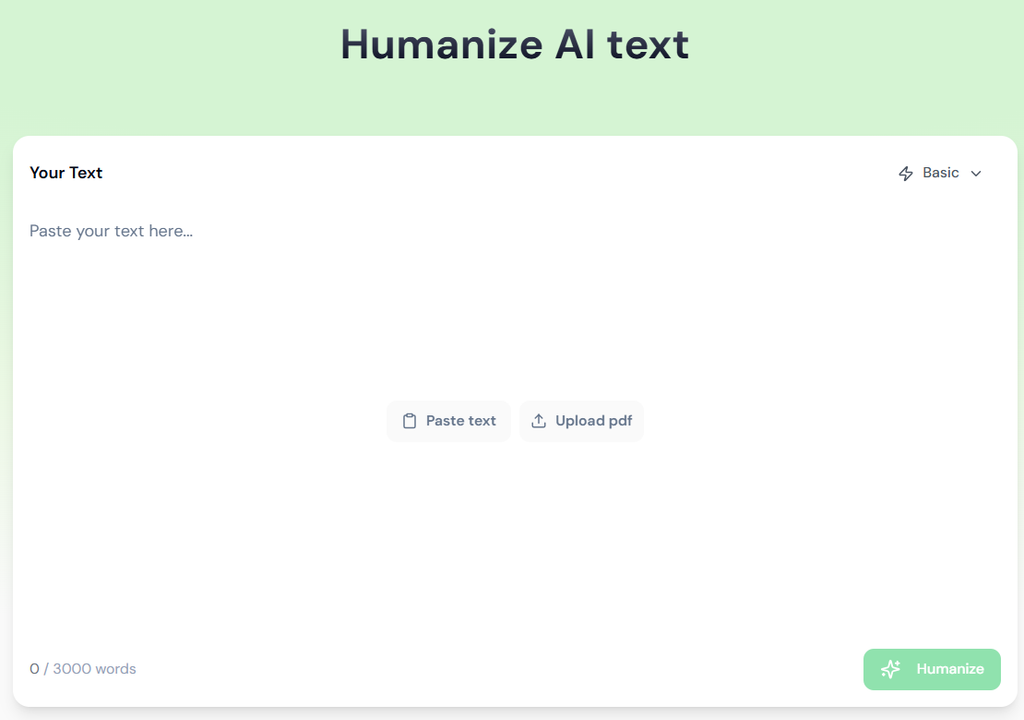
As the name indicates, the ‘AI Humanizer’ claims to humanize and naturalize the text generated from ChatGPT, Claude, Deepseek, Gemini, Grok, and other LLM-powered generative AI tools. And for that, it uses three different modes:
- Basic
- Deep
- Multilingual
So, let’s test the output of each mode.
To do so, I will use the following sample, which has been generated through AI:
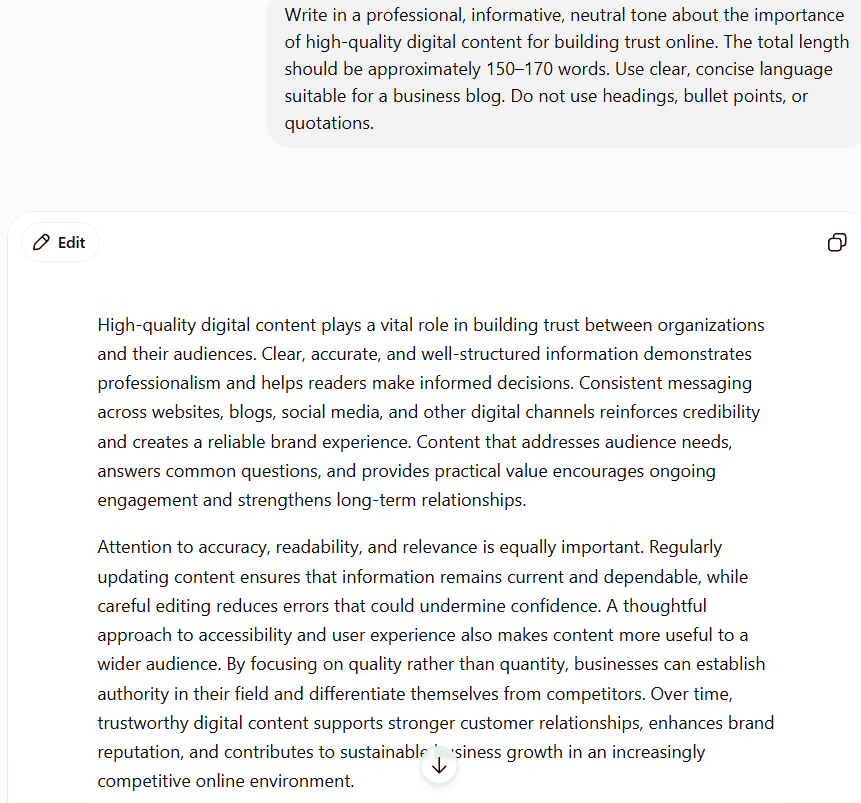
Now, just to prove to you that this text piece is full of AI patterns, I’ve run it through a popular AI detector—ZeroGPT. And here is the output I’ve got from that AI checker:
Now, as it’s clear, this text piece has been generated by AI. So, let’s run it through the AI humanizer of Natural Write. And upon doing so, I’ve got the following result:
Now, let’s check this output through Copyleaks, GPTZero, and ZeroGPT, which are three of the most popular AI detectors. And upon doing so, here are the results that I’ve got:
As you can see from these results, the ‘AI Humanizer’ tool of Natural Write claims to bypass all the major AI checkers. However, it doesn’t fully satisfy its marketing claim. So, its text humanizer is not so good at beating all the detectors, but it still does the job.
However, honestly, relying on AI text and bypassing it through a ‘humanizer’ tool isn’t a winning strategy. To succeed on Google today, your content needs to satisfy Google’s EEAT framework, which revolves around having:
- Real-world experience
- Actual expertise
- Authority
and
- Trustworthiness
And the reality is, those only come from human effort. So, don’t sideline your own expertise; there’s just no substitute for genuine human creativity.
AI Detector
Moving on to the ‘AI Detector’ of Natural Write, well, it claims to detect AI text generated from all major LLM-powered generative AI tools, including:
- ChatGPT
- Claude
- DeepSeek
- Gemini
- Grok
And for that, it relies on the ‘Basic’ and the ‘Deep’ mode. So, let’s check it out whether it lives up to its hype or not.
To do that, I will use the same sample of AI-generated text:
And now, let’s run it through the ‘AI Detector’ of Natural Write. So, upon doing so, I’ve got the following result:
Now, as you can see, the ‘AI detector’ has successfully checked that there are no traces of human writing in the provided piece. So, it works accurately.
But here’s the harsh truth about AI detection:
It can never be as accurate as plagiarism checking.
That’s because there will always be room for false positives and false negatives, where a tool may flag human-written content as AI-generated, or vice versa. Therefore, you shouldn’t rely on detection scores alone to make a final decision.
Paraphraser
The ‘Paraphraser’ tool of Natural Write has been specifically designed to rewrite text with clarity, natural flow, and precision. So, if you’re finding it hard to phrase a sentence in a clear manner or you don’t know how to paraphrase it at all, then you can take assistance from this tool.
But how does it actually help?
Well, like the aforementioned two tools, the ‘Paraphraser’ also takes support from the following two modes to revamp the provided text:
- Basic
- Deep
But whether its paraphrased text is usable or not, let’s find out.
To do that, I will use the following sample text:
So, upon running it with the ‘Paraphraser’ of Natural Write, I’ve got the following result:
Now, as you can see, the output structurally matches the original version. So, it’s not the best way to paraphrase something. And from my experience, better alternatives are available.
Grammar Checker
The ‘Grammar Checker’ of Natural Write claims to be the best AI-powered tool to fix grammar, spelling, and punctuation issues. And to do that, it also takes the support of the following modes:
- Basic
and
- Deep
However, again, whether it’s best or not, it is up to me to find out here. And for that, I will use the following text sample, which is full of writing errors:
Now, as you can see, some of the writing mistakes have already been highlighted in the above sample. But whether Natural Write’s ‘Grammar Checker’ highlights and rectifies them or not, that’s a separate thing. So, let’s check it out.
As you can see, all the mistakes have been corrected. However, it’s quite challenging to spot what the mistakes were, as this tool doesn’t highlight its changes—it simply generates the corrected form of the provided text.
Natural Write’s Pricing Plan
From my testing, I’ve observed that Natural Write only provides free access if you sign up with an account. But the good news is that:
You don’t need any banking credentials to activate the free access.
However, the free access expires quickly, as it claims to give you 300 words/month. But after running only one scan, I couldn’t use the tool further. So, I’ve purchased its premium plan, which you can also do.
And if you’re planning to become a premium member of Natural Write, I recommend taking a look at the following plans, so that you can make a better decision:
Pros and Cons of Natural Write
Now, based on my experience, here are some positives and negatives I’ve observed in Natural Write AI’s tools:
Advantages
- All the utilities have a 3000 word/session range. So, they are perfect for processing lengthy chunks of text.
- The user interface is quite simple, as I didn’t need any training to get started with Natural Write or its utilities.
- The AI detector mode performs exactly as it has been advertised. So, there are no false marketing claims there.
- Even the AI humanizer does most of its job while preserving the original meaning and maintaining readability.
- For easier uploads, Natural Write supports adding PDFs via a drag-and-drop gesture. So, that’s quite intuitive.
Disadvantages
- The grammar checker is simply useless, as it doesn’t highlight the mistakes. Plus, it doesn’t give users total control of whether they want to apply a suggested correction or not. To be honest, it works more like a cutting-edge paraphrasing tool because such tools can also rectify grammatical errors while rephrasing.
- As a visitor, Natural Write is totally useless. Like, you can only use it by creating a free account.
- Speaking of the free account, the allotted word count range is 300/month, which is quite low. However, after processing a small text of 100-120 words, I was unable to use any of the tools in Natural Write with the free plan.
- Natural Write produces very basic-level paraphrased versions of the text. So, if you use this particular feature, you will definitely become a victim of plagiarism.
- The premium plans are simply not worth it, especially after considering how the grammar checker and paraphrasing tool of Natural Write perform.
Final Verdict — Concluding Thoughts
To sum up, Natural Write delivers a mixed experience. Its ‘AI Detector’ performed accurately during my testing, while the ‘AI Humanizer’ improved AI-generated text without significantly affecting readability. However, the ‘Paraphraser’ produced outputs that were too close to the original text, and the ‘Grammar Checker’ lacked features like error highlighting and manual correction controls, making it less practical for everyday editing.
Not only that, but its restrictive free plan also limits meaningful testing before upgrading.
Thus, overall, Natural Write is worth considering if you primarily need AI detection or occasional text humanization. However, users seeking reliable paraphrasing or grammar-checking capabilities will likely find better alternatives elsewhere.

WordlyCove is a peaceful space where words, writing, and knowledge come together, an ideal platform for writers and learners.
