PapersOwl is known for helping students with essays. But now, they have a free online plagiarism checker as well.
Right off the bat, that tool claims to perform deep searches and check for plagiarism in real time, without any word limits, while ensuring data safety.
But does it really live up to these claims? That’s exactly what we wanted to find out.
So, instead of trusting the brand name, we tested this plagiarism detector under real conditions to see whether it’s a reliable tool or just an add-on feature. And let’s check out our findings!
What PapersOwl’s Plagiarism Checker Actually Gets Right
After using this plagiarism detector across different types of content, a few strengths stood out right away.
- When we tested it with text copied straight from our online blog, this tool flagged most of the content without hesitation. The matches were clear, and the highlighted sections made it easy to spot exactly where the overlap was.
- There is no learning curve here. You just enter your text, agree to their terms and conditions, and hit the ‘Check for Plagiarism’ button, that’s it.
- For short to medium-length text, the results came back fairly quickly. It doesn’t leave you waiting, which is useful when you just want a quick check before submitting something.
- You can paste text directly, upload a file from cloud or local storage, or drop in a URL. That flexibility means you’re not stuck doing manual copy-pasting every single time, which, to be honest, saves a bit of time.
The 4 Limitations That Stood Out During Our Testing
That said, once we pushed PapersOwl’s plagiarism checker a little harder, some real gaps started showing up. Here’s what you should know before relying on it for anything serious:
- The moment we made minor edits to mixed-source text, the tool’s reliability dropped significantly. Content that was clearly built from multiple sources—just with a few words swapped—came back as mostly unique.
- This online tool identifies common words and phrases as plagiarism. So, when working with long chunks of text, this can cause confusion.
- We rewrote existing content without adding any citations, and this web utility marked it as original. A good plagiarism detector should at least flag the possibility of missing references, but this one doesn’t!
- What’s marketed as a free plagiarism checker does come with a wall—you’ll need to log in to keep going beyond the initial checks. Although this isn’t the end of the world, it’s worth knowing upfront.
Is PapersOwl’s Plagiarism Detector Free or Paid?
PapersOwl’s plagiarism checker is free to use, but only up to a point. You get a couple of scans without needing an account, which is fine for a quick check. After that, the tool asks you to register with your email to continue.
The free version itself doesn’t impose a strict word limit the way some competitors do, which is one area where it has an edge. However, if you need rewriting, editing, or any additional services to fix what the checker finds, those come at a cost—and the pricing for PapersOwl’s broader services isn’t cheap.
For the plagiarism checker alone, though, basic use remains free after sign-up.
How PapersOwl’s Plagiarism Checker Works — Step by Step
Checking plagiarism with PapersOwl’s plagiarism detector is simple, and that’s one of the reasons it appeals to casual users. So, here is what you need to do:
- Add your content—either by typing or pasting text into the input box, uploading a file through cloud or local storage, or entering a URL if you want to scan a live web page.
- Check the agreement box. This is necessary for first-time users.
- Complete the captcha verification process (if prompted).
- And hit the ‘CHECK FOR PLAGIARISM’ button.
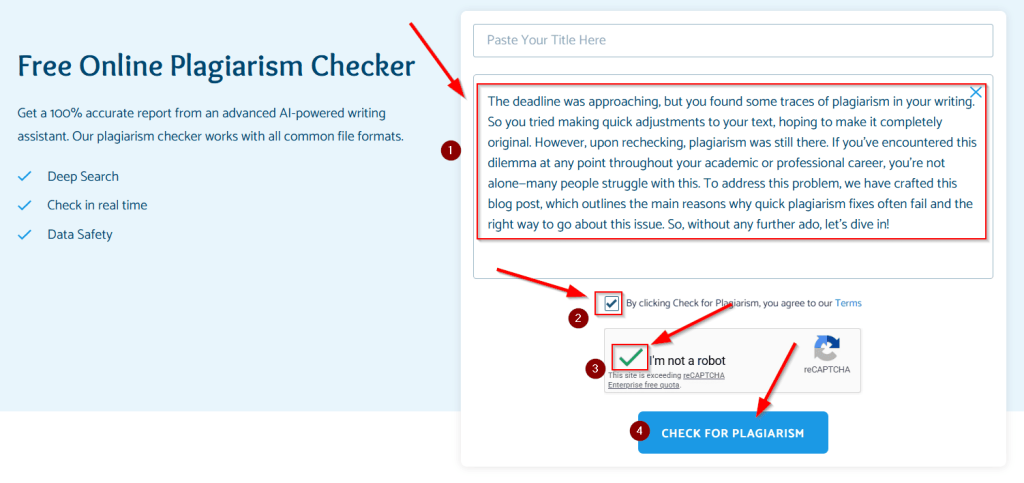
Upon doing so, you will have to wait for a few seconds while this online tool runs its scan. But once it’s done, you’ll see a plagiarism report like this:
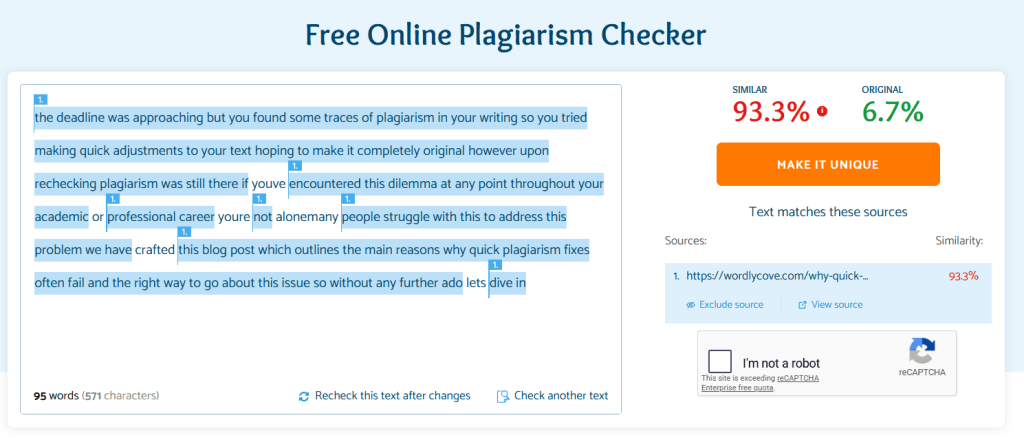
Putting It to the Test — Here’s What the Results Revealed
Note: It is important to understand that most online plagiarism checkers measure text similarity, not academic plagiarism. This means heavily paraphrased content may appear ‘unique’ even if the ideas came from other sources without citation.
We didn’t really rely on assumptions to see how reliable the tool really is—we ran three different tests. Each one focused on a different type of plagiarism scenario, from obvious copying to more subtle rewriting. So, here’s what happened:
Test 1 — Word-for-Word Duplication
For the first test, we took a passage from one of our previously published blog posts:
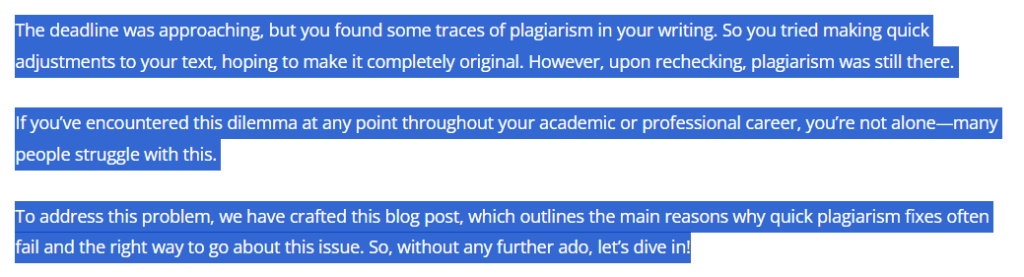
Upon pasting it into PapersOwl’s plagiarism checker without any changes, we got the following result:
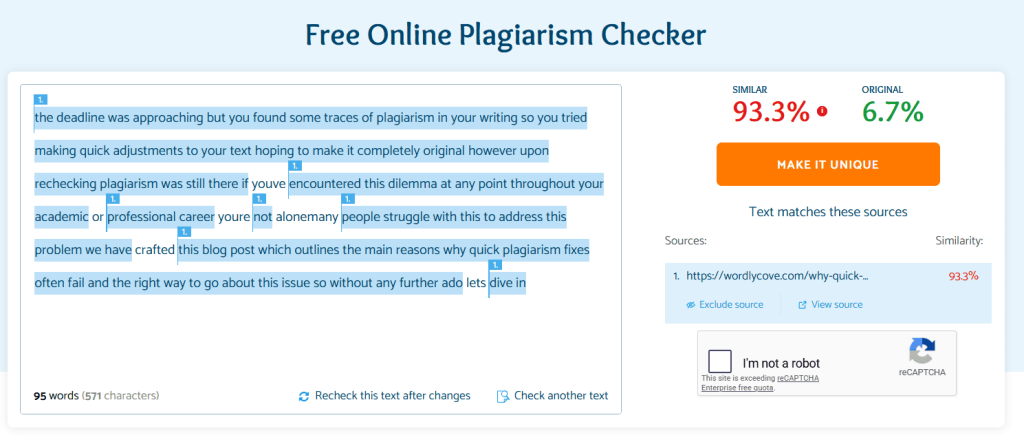
The tool caught it and returned a high match percentage with a link to the original source. So, for plain copy-paste content, it works, and there are no surprises there.
That said, the match percentage it returned wasn’t a clean 100%, even though the text was fully copied. That’s a minor inconsistency, but it’s worth noting.
Test 2 — Mixed-Source Content With Minor Edits
Next, we combined content from multiple sources and made small edits—changing a few words here and there, but keeping the structure mostly intact. So, this was the text that we came up with:
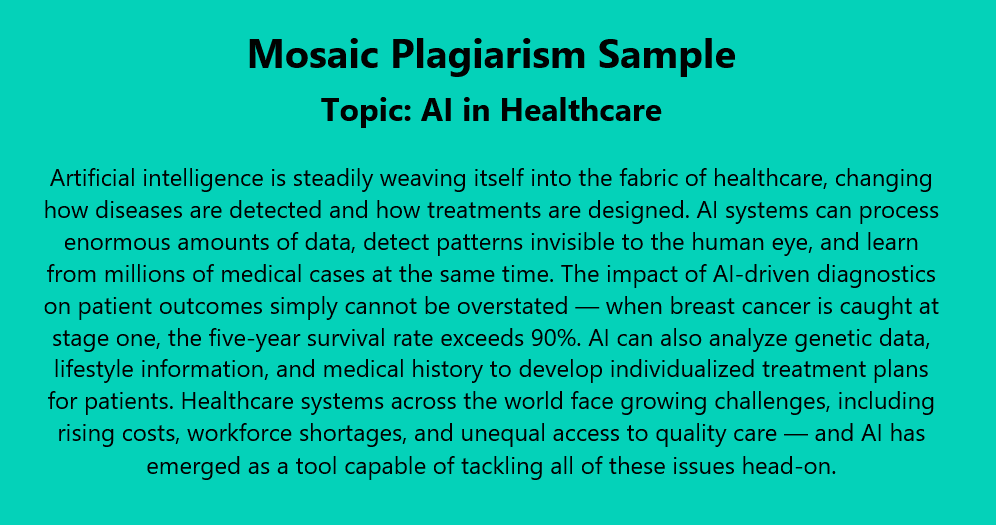
And these were the sources we used to create the above-specified text:
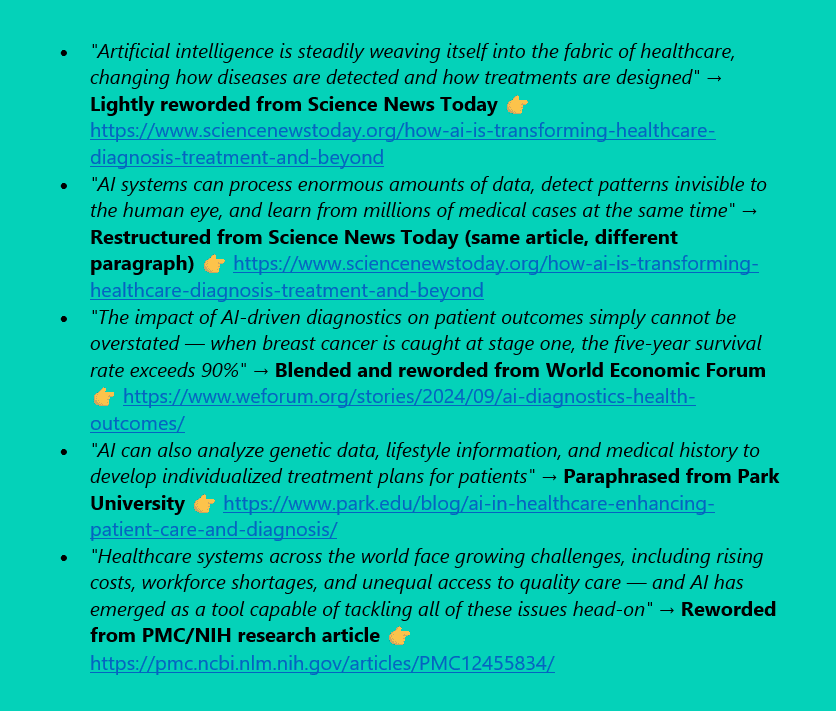
This is where the results became less consistent. Only a few portions were detected as similar, while most sections appeared unique after light rewriting.
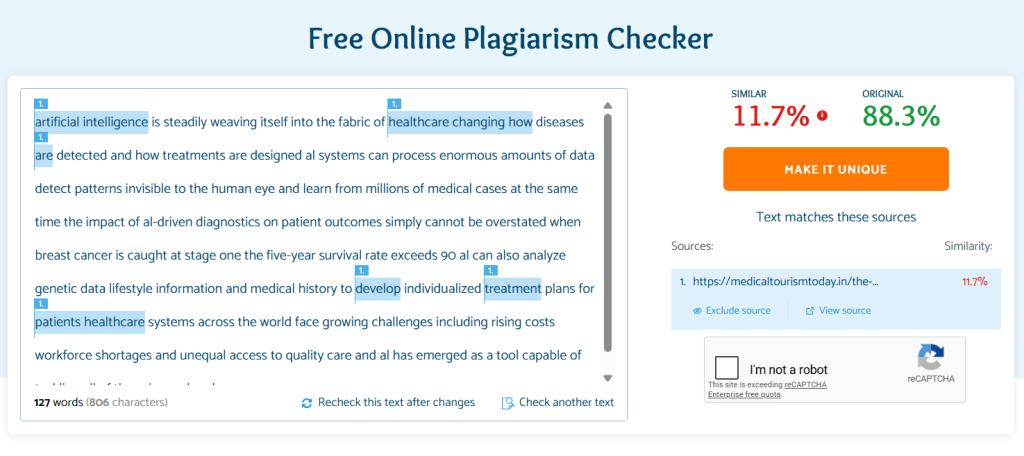
So, this highlights a limitation when dealing with lightly edited or patchwritten content.!
Test 3 — Rewritten Content Without Any Citations
For the third test, we took the same passage from Test 1 and paraphrased it completely:
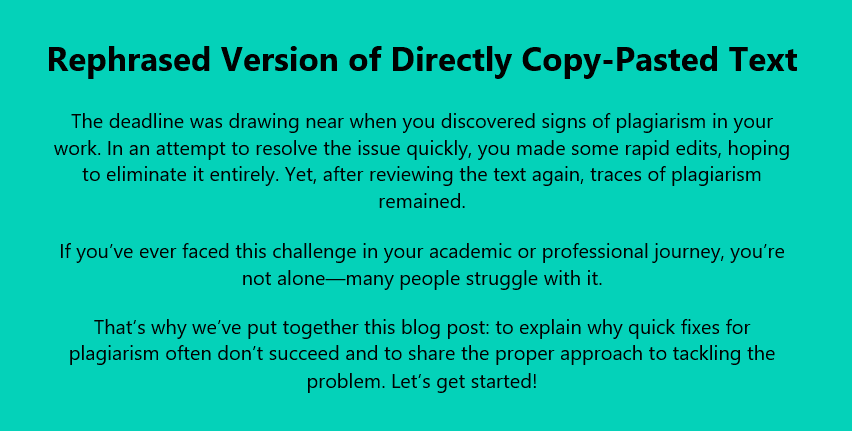
And upon checking the plagiarism of this rephrased version, we got the following output:
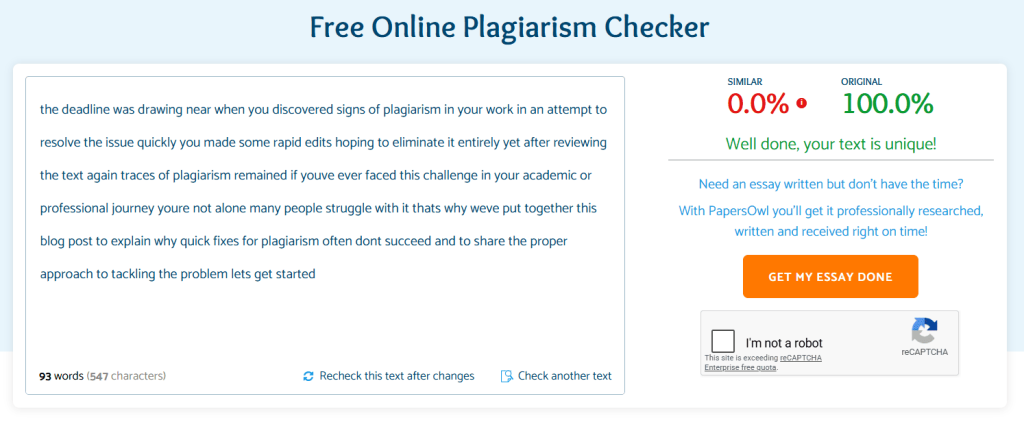
Here, PapersOwl’s plagiarism checker returned a ‘100 unique’ score. The rewritten version passed as fully unique because the wording had been significantly changed. So, this is a key limitation:
When it comes to deeper paraphrasing or uncited source use, this tool has clear limitations.
Our Honest Verdict — Should You Use PapersOwl’s Plagiarism Checker?
PapersOwl’s plagiarism checker sits in a bit of a grey area—it’s not bad, but it’s not something you should fully rely on either.
From our testing, it does a decent job where things are obvious. If your content includes direct copy-paste material, the tool will catch it most of the time and give you a clear idea of where the problem lies. It is also quick, easy to use, and flexible in how you can input your content. So, for quick checks or casual use, it gets the job done.
But once you move beyond basic scenarios, the cracks start to show. The tool struggles with paraphrased content, misses mixed-source writing with minor edits, and doesn’t evaluate whether rewritten text includes proper citations.
So, in simple terms, this plagiarism detector focuses more on surface-level matching rather than deeper analysis. And that’s where it can give a false sense of originality—something to keep in mind when preparing academic or professional work that requires proper citation!

